
Bespoke orders
You can also use your e-commerce back office to generate bespoke orders and payment links for customers
If you don’t have an existing product set up but want to get a client to pay online for an order
- Head to Products > Add New
Create a product called “Bespoke”
Publish but make it Hidden from customers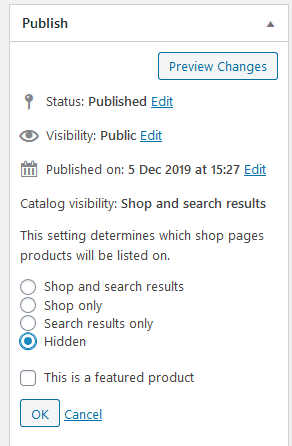
- Head to Orders > Add New
- Add a line and choose your “Bespoke” product
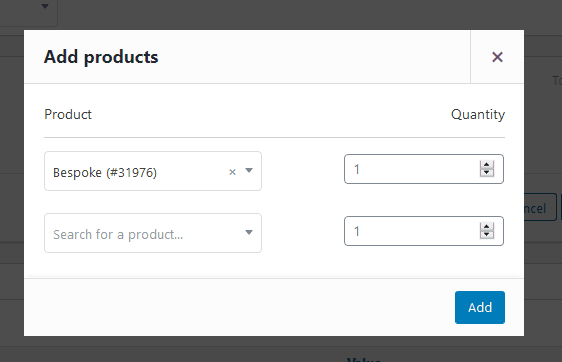
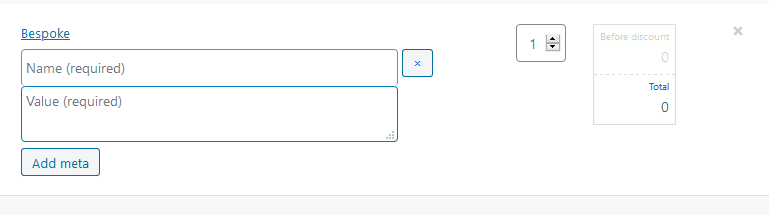
- Edit your order line to add details of the product along with the price
- Add the customer (you may need to create one)
- Create the order
- Copy the “Customer payment link” url
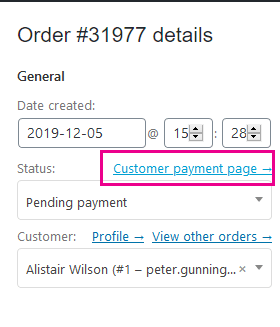
or choose action “email invoice / order details to customer”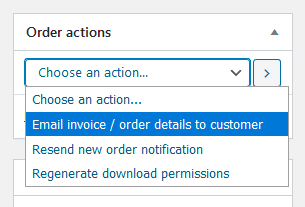
To ensure the customer can pay online before you process the order